Free AI Plushie Generator
Turn any photo into a cute, huggable plush toy in seconds. Make a plushie version of yourself, your pet or your favorite character — just upload a photo, no skills needed.
25 free credits every day · No credit card required
Plushie prompt ideas
Tap a prompt to start generating instantly.
A plushie of your pet, not a random one
Most free AI tools just invent a generic toy. PixelMind can start from your real photo. Upload a picture of your pet, yourself or a character and use image-to-image — the AI keeps the recognizable features while turning it into a soft, stitched plush toy.
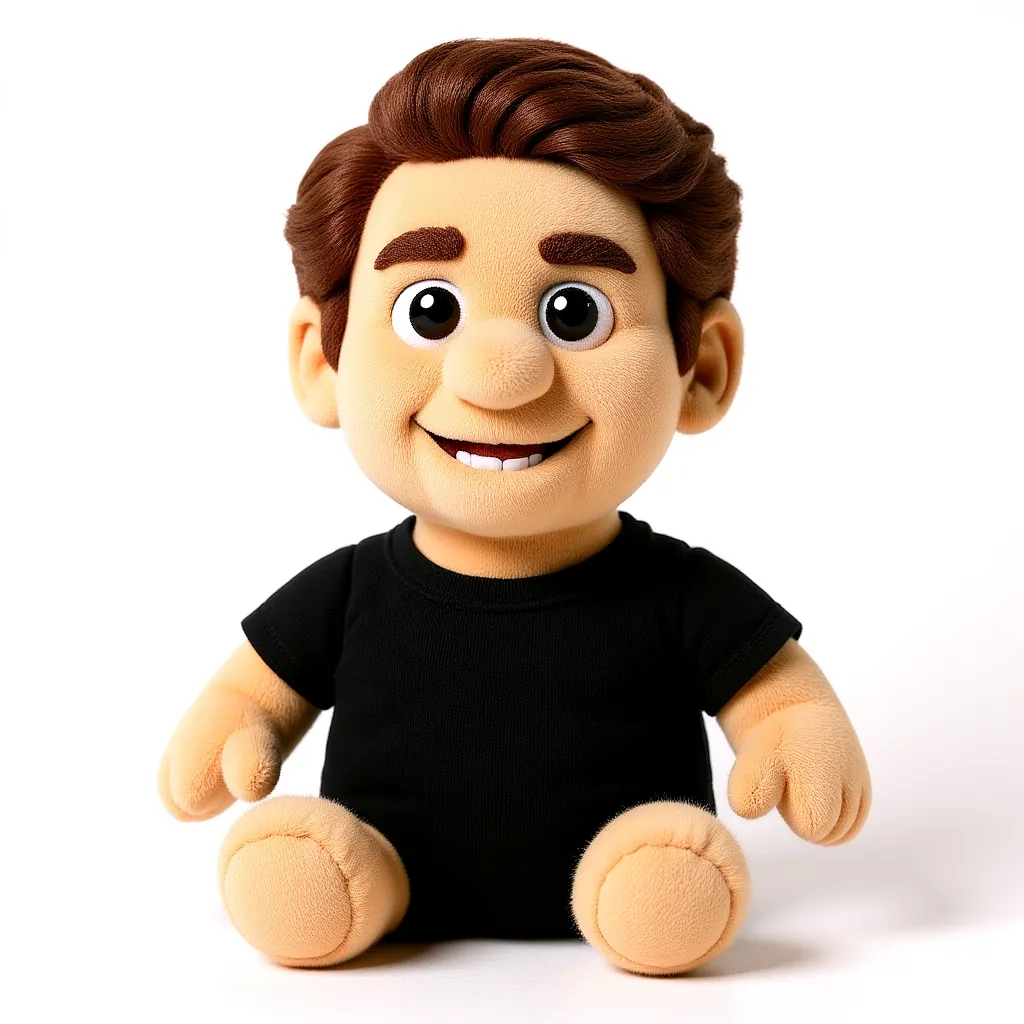
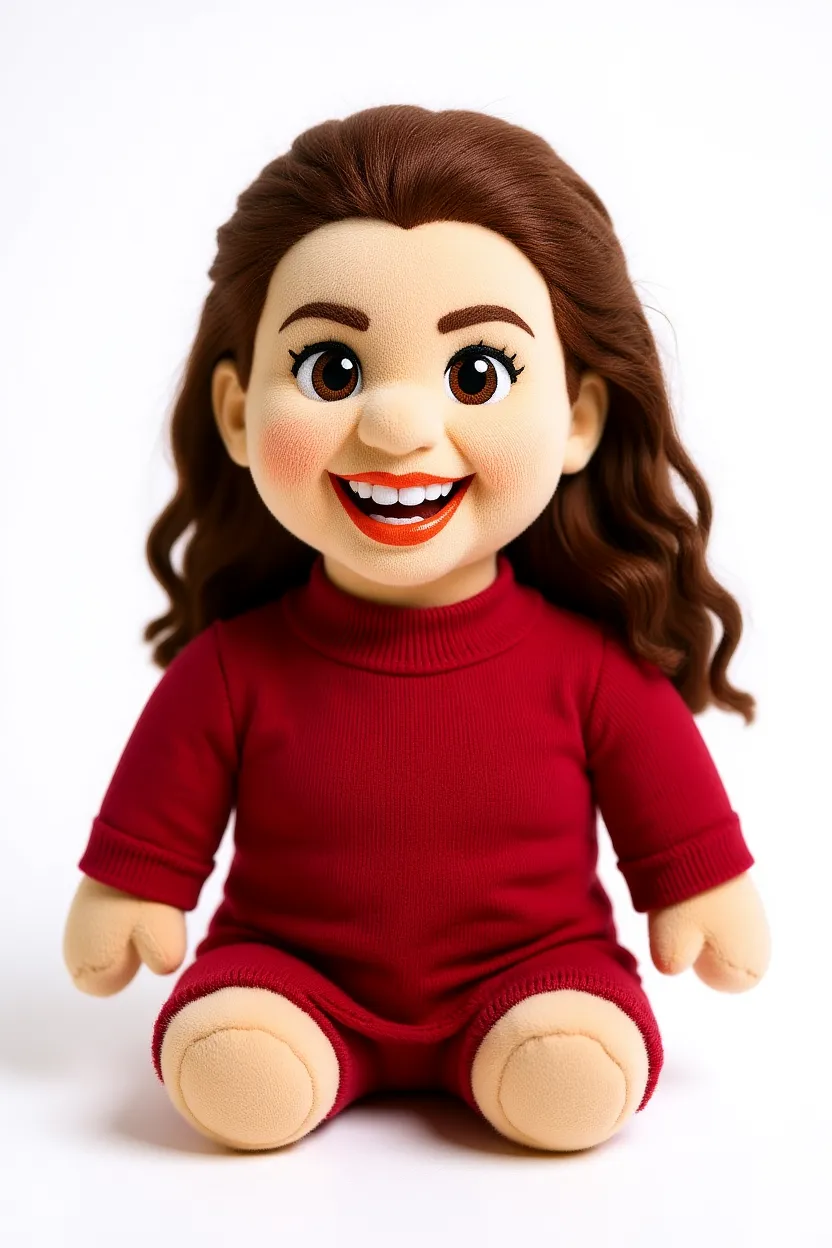
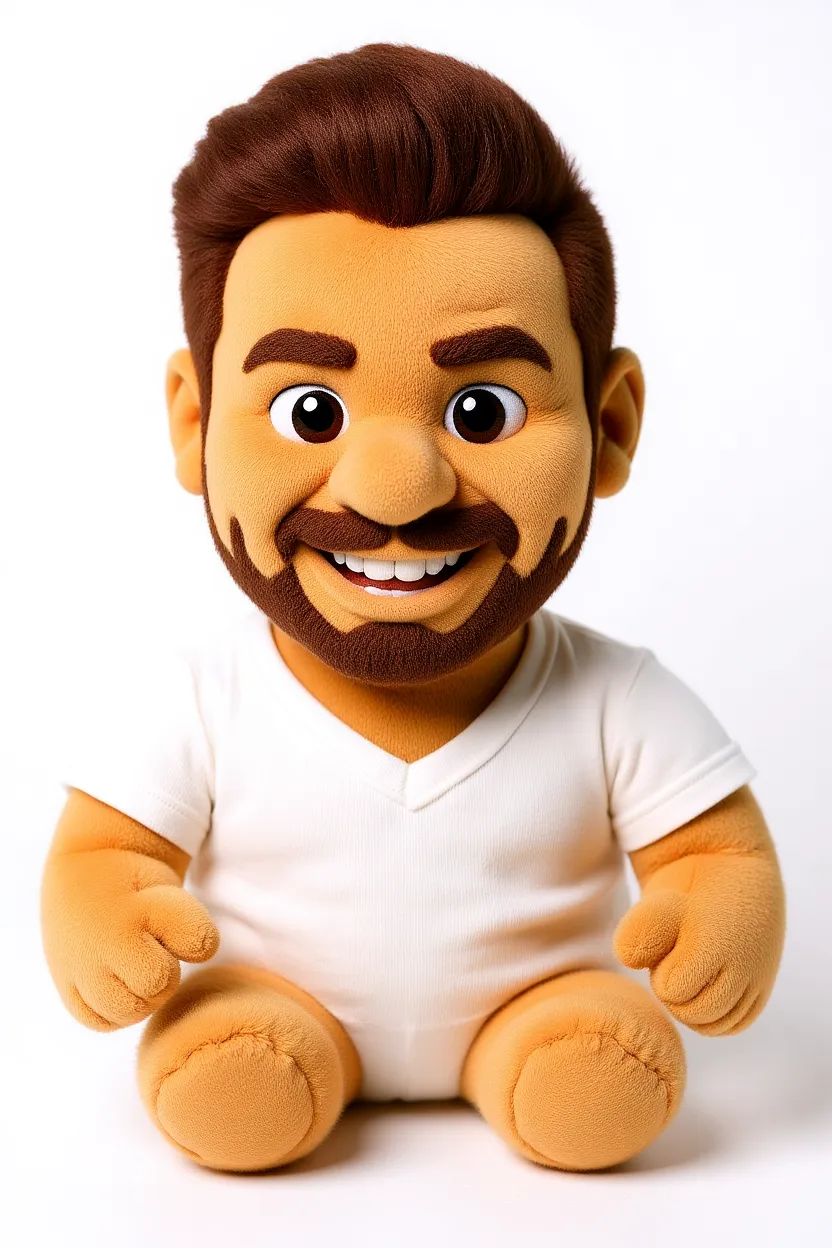
Real plushie results
Turn a photo of someone into their own cuddly plush toy — recognizable features, soft fabric look. Each one was made in PixelMind from a single selfie.
How to make an AI plushie
Upload a photo (or describe it)
Drop in a photo of yourself, your pet or a character and use image-to-image to turn it into a plush toy — or generate a plushie from text alone.
Pick the plush look
Felt, fuzzy, kawaii, chibi — tap a preset prompt or describe the exact soft-toy style and colors you want.
Generate & download
Get an adorable plushie in seconds. Upscale to 4× for crisp prints and stickers, then download — no watermark on paid plans.
What people make with the plushie generator
Pets as plushies
Turn your cat or dog into the cuddly plush toy they deserve to be.
Gifts & cards
Make a personalized plushie portrait as a sweet, one-of-a-kind gift.
Social & memes
Share scroll-stopping plushie versions of yourself and friends.
Toy & merch concepts
Visualize plush toy designs before you ever sew a stitch.
AI plushie generator FAQ
Is the AI plushie generator free?+
Yes. You get free credits every day to create plushie images — no credit card required to start. Paid plans add faster generation, higher resolution and remove the watermark.
Can I turn my own photo into a plushie?+
Yes — that's the fun part. Upload a photo of yourself, your pet or a character and use image-to-image, and the AI keeps the recognizable features while reimagining it as a soft plush toy.
Do I need to upload a photo?+
No. You can generate a plushie purely from a text description. Uploading a photo is optional and only needed when you want the plushie to be based on a real subject.
What photo works best for a plushie?+
A clear, well-lit photo with one main subject works best — a front-facing pet portrait or selfie gives the AI the most to work with.
Can I use the plushie images commercially?+
Yes. You own the images you generate and can use them for gifts, merch concepts, social posts and other commercial contexts.
Ready to make your own plushie?
Start free with 25 credits every day — no credit card, no commitment.
Make your plushie — free →