Upload your image
Start with the highest-quality JPG, PNG, or WebP available.
5 credits per image
చిత్రాన్ని ఇక్కడ వదలండి లేదా browse
PNG · JPG · WEBP · max 15MB
స్కేల్
4× resolution
వివరాలు మరియు వేగం యొక్క ఉత్తమ బ్యాలెన్స్
8× resolution
త్వరలో వస్తుంది
4× super resolution
Increase resolution and recover useful detail for print, product pages, old downloads, and cropped photos.
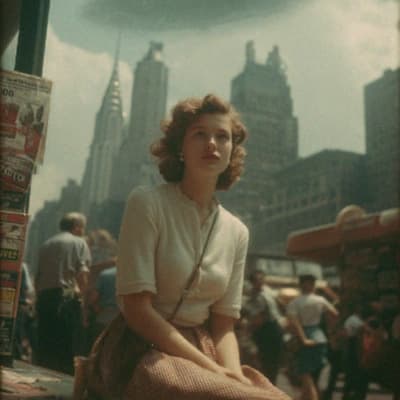 After
After
AI super resolution
Increase pixel dimensions while strengthening visible edges and texture without cropping or changing the original aspect ratio.
Low resolution
4× enhanced
ఇది ఎలా పనిచేస్తుంది
AI super resolution reconstructs clearer edges and texture for portraits, product images, screenshots, illustration, and older compressed files.
Start with the highest-quality JPG, PNG, or WebP available.
AI reconstructs edges, texture, and compressed detail.
Review the original and enlarged result before downloading.
నిజమైన పని కోసం తయారు చేయబడింది
సామర్థ్యాలు
Improve soft facial, hair, and clothing detail.
Give text and interface edges more usable pixels.
Prepare small product photos for larger placements.
Enlarge line art, gradients, icons, and generated artwork.
తరచుగా అడిగే ప్రశ్నలు
No. The original aspect ratio and composition are preserved.
Basic resizing interpolates pixels; AI upscaling also attempts to reconstruct clearer edges and textures.


